User Invitation
Author(s)
- Ramit Ray
Last Updated Date
[2024-10-15]
SRS References
Version History
| Version | Date | Changes | Author |
|---|---|---|---|
| 1.0 | 2024-10-15 | Initial draft | Ramit Ray |
Feature Overview
Objective:
Enable super-admin to invite users to sign up for the application by sending email invitations with a specified user role and optional message. The invitation will have a token with a 24-hour expiry, allowing the recipient to accept or decline the invitation.
Scope:
- Allow the super-admin to specify user details (email, role) during the invitation process.
- Send an email invitation with an accept/decline option.
- Handle user responses (accept/decline) and create an active user in the system upon acceptance.
- Emails will be triggered for both the user and the super-admin once the user is created.
Dependencies:
- New email templates (for sending the invitation and notification emails).
Requirements
(List all the functional and non-functional requirements that the feature must meet.)
- Super-admin should be able to invite a user by providing an email, user role, and optional message.
- The system should generate a token with a 24-hour expiry and store the invitation request in the
SignupRequeststable. - An invitation email should be sent to the recipient, with buttons to either accept or decline the invitation.
- If the recipient declines the invitation, the token should be expired.
- If the recipient accepts, they should be directed to a signup form where they can provide their first name, last name, and password.
- The token must be validated at each step (accept/decline, user creation).
- Upon successful signup, the user should be created in the
Userstable, the token should be expired, and notification emails should be sent to both the user and the super-admin.
Design Specifications
(Provide detailed design specifications, including UI/UX designs, API interfaces, and any other relevant architectural details.)
-
UI/UX Design:
- Invite User Form: Super-admin will input the user's email, assign a role, and optionally include a message.
Fields:-
Email (required)
-
User Role (required)
-
Invitation Message (optional)
-
Submit button
-
Cancel button
-
Signup Form: If the user accepts the invitation, they will see a form to complete the signup process. Fields:
-
First Name
-
Last Name
-
Password
-
Confirm Password
-
Submit button
-
- Invite User Form: Super-admin will input the user's email, assign a role, and optionally include a message.
-
Data Models:
(Detail the data structures, including database schemas or objects.)public record UserRecord(UserRole Role = UserRole.StandaloneUser, string? FirstName = null, string? LastName = null, string? Phone = null, UserStatus Status = UserStatus.Uninitialized)
{
[Key]
public required string Email { get; set; }
public string? Token { get; set; } = Convert.ToBase64String(Guid.NewGuid().ToByteArray());
[DataType(DataType.Password)]
public string? Password { get; set; }
[DataType(DataType.DateTime)]
[JsonIgnore]
public DateTime? Created { get; set; } = DateTime.UtcNow;
[DataType(DataType.DateTime)]
[JsonIgnore]
public DateTime? Updated { get; set; } = DateTime.UtcNow;
[DataType(DataType.DateTime)]
[JsonIgnore]
public DateTime? ExpiryDate { get; set; } = DateTime.UtcNow + TimeSpan.FromDays(1);
public string? InvitationMessage { get; set; } = string.Empty;
}
public enum UserStatus
{
Active,
Disabled,
Uninitialized,
Unknown,
Invited,
InvitationAccepted,
InvitationDeclined
}
public class User
{
[Key]
public Guid UserId { get; set; } = Guid.NewGuid();
public string? FirstName { get; set; }
public string? LastName { get; set; }
[Required(ErrorMessage = "Password is required")]
[DataType(DataType.Password)]
public required string Password { get; set; }
[Required(ErrorMessage = "Email is required")]
[EmailAddress]
public required string Email { get; set; }
[Phone]
public string? Phone { get; set; }
[Required(ErrorMessage = "User role is required")]
public required UserRole Role { get; set; }
public UserStatus Status { get; set; } = UserStatus.Uninitialized;
[DataType(DataType.DateTime)]
public DateTime? Created { get; set; }
[DataType(DataType.DateTime)]
public DateTime? Updated { get; set; }
public Guid RoleId { get; set; }
} -
API Interfaces:
(Define the APIs required for this feature, including endpoints, methods, request/response formats.)Endpoint Method Parameters Response Response Status Codes /auth/user/invitePOSTUserRecord(Email,Role,InvitationMessage)Success Message201,500/auth/validate/tokenGETtokenValid/Invalid Token200,400,500/auth/user/invite/declinePUTtokenSuccess Message200,500/auth/user/invite/acceptPOSTUserRecord(FirstName,LastName,Password,Token)Success Message201,400,500 -
Third-Party Integrations:
(N/A) -
Workflow:
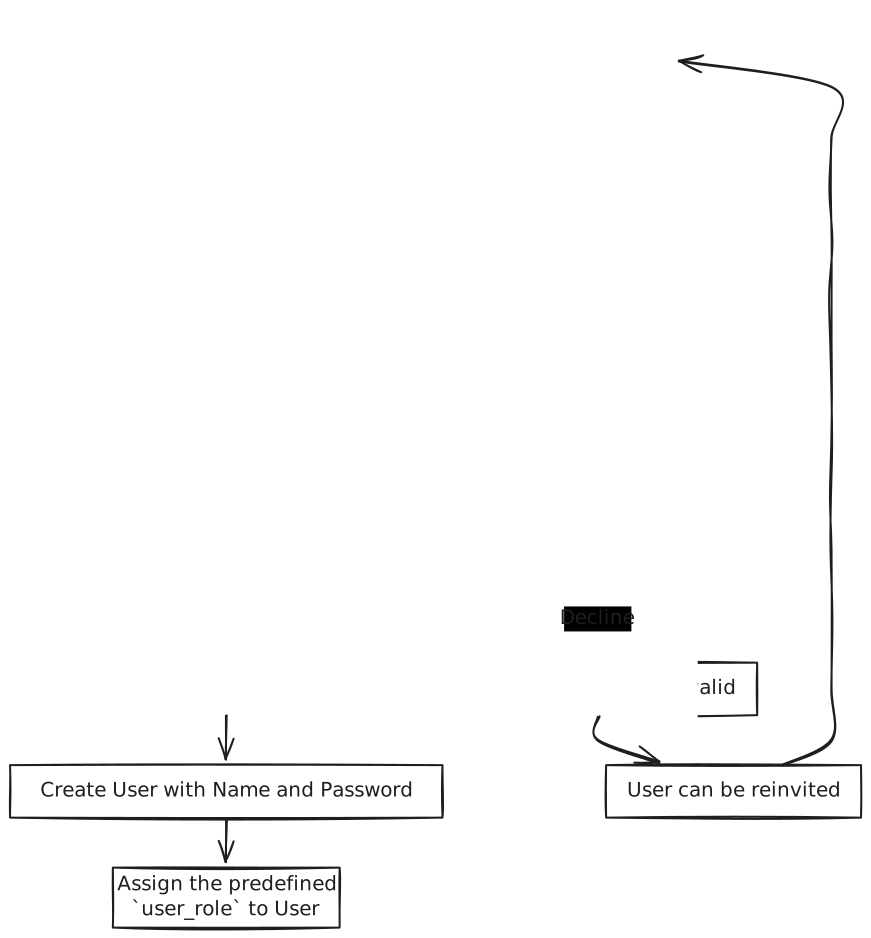
- Super-admin invites a user by filling out the invitation form.
- API generates a token, stores it in
SignupRequests, and triggers an email to the recipient. - Recipient clicks either Accept or Decline.
- If Decline, the token is marked as expired.
- If Accept, the recipient is redirected to a signup page to complete their registration.
- The token is validated, and if valid, the user's details are saved to the
Userstable. - Notification emails are sent to the new user and the superdmin.
Development Tasks & Estimates
(Break down the development process into smaller tasks and provide time estimates for each.)
| No | Task Name | Estimate (Hours) | Dependencies | Notes |
|---|---|---|---|---|
| 1 | New email templated creation | 2.5 | None | Database migration |
| 2 | Develop invite API | 2 | None | |
| 3 | Implement token validation and expiry logic | 1 | None | |
| 4 | Build frontend forms (Invite User, Signup) | 4 | None | |
| 5 | Develop invite/accept API | 1.5 | None | |
| 6 | Test email integration | 2.5 | None | |
| 7 | Integration testing of user invite workflow | 2.5 | None | |
| 8 | Total | 16 hours |
Testing & Quality Assurance
(Outline the testing strategy and quality assurance measures for the feature.)
-
Unit Tests:
- API tests for
invite, andinvite/accept.
- API tests for
-
Integration Tests:
- End-to-end testing of the user invitation workflow, from sending the invite to completing the signup.
-
Acceptance Criteria:
- User should receive an invitation email.
- The token should expire after 24 hours or when declined.
- Upon acceptance, the user should be able to complete the signup process.
- Super-admin should be notified when a new user is created.
-
Testing Tools:
- Swagger
Deployment Considerations
N/A
-
Configuration Changes:
N/A -
Rollout Plan:
- Deploy to staging for testing.
- If no issues arise, deploy to production.
Risks & Mitigations
(Identify potential risks and the strategies to mitigate them.)
| Risk | Impact | Likelihood | Mitigation Strategy |
|---|---|---|---|
| User role assignment error | Medium | Low | Thorough role validation before saving and prohibiting deletion of assigned user roles in SignupRequests and Users table |
| User storage usage | High | High | Validate total space usage of the user and bind it to a subscription level |
Review & Approval
(Include a section for review and approval by stakeholders.)
-
Reviewer:
Rupanjan Hari -
Approval Date:
2024-10-16
Notes
None.